



Founder Rewards: Earn 5% back in EB1 Privileges on eligible spending, subject to caps, for 90 days from your first card purchase. Limited to the first 1,000 qualifying members. Terms apply.4Find out more
GUIDE

How to spend USDC

Hold USDC? Use your USDC balance to fund purchases at eligible merchants accepting Visa, subject to card programme restrictions. Conversion is handled by our card programme partners.

  • No bank transfer needed
  • Card issued in the app
  • Works with Apple Pay and Google Pay
YOUR OPTIONS

Three ways to spend USDC

There are three common ways to turn USDC into everyday spending.

Sell on an exchange and withdraw

How it works
Sell USDC for local currency, then send it to your bank.
Before you can spend
Sell, withdraw, wait for the bank transfer, then spend.
Things to know
Trading and withdrawal fees, waiting time, and your bank may query transfers from exchanges.

Sell to another person

How it works
Sell USDC directly to someone else, peer to peer.
Before you can spend
Find a buyer, agree a price, confirm payment.
Things to know
Counterparty and fraud risk, it can be slow, and the price varies.

A USDC card, such as EB1

How it works
Spend your USDC balance directly by card. Our card programme partners handle the conversion.
Before you can spend
Add USDC once, then pay.
Things to know
Card and conversion fees apply.

The short version: with EB1 you don't need to manually sell your USDC before spending, wait for a bank transfer or cash out. You pay by card, and our card programme partners handle the conversion.

STEP BY STEP

How to spend USDC with EB1

  1. 01

    Download EB1

    Get the EB1 app from the App Store or Google Play.

  2. 02

    Verify your identity

    A government ID and a selfie. Approval is subject to verification; additional checks may be required.

  3. 03

    Get your digital card

    Once you are approved, your EB1 Visa card is issued in the app.

  4. 04

    Add USDC to your balance

    Send USDC from your wallet or exchange to your EB1 deposit address, on a supported network. Always check that the network matches before you send.

  5. 05

    Add your card to your phone

    Add it to Apple Pay or Google Pay to pay contactless in store.

  6. 06

    Pay

    Use your card online, or tap your phone in store. Our card programme partners handle the conversion to the local currency.

WHEN YOU PAY

Use your USDC balance for card purchases

There is no manual step. When you pay with your EB1 card:

  • The shop sees an ordinary Visa payment in its own currency.
  • Our card programme partners handle the conversion needed to fund your purchase, subject to applicable exchange rates and fees.
  • The payment appears in your EB1 app.
Example

You buy lunch for 20 in the local currency. The café receives 20 by Visa, and the equivalent amount in USDC, plus any applicable fees, is deducted from your balance through the card programme.

WHERE AND HOW MUCH

At eligible merchants accepting Visa

Use your USDC balance at eligible shops, restaurants, hotels and websites around the world, at home and when you travel, subject to card programme restrictions.

Cards
EB1 Gold (Visa Signature), EB1 Platinum and EB1 Black (Visa Infinite)
Stablecoins you can add
USDC and USDT
Pay by phone
Apple Pay and Google Pay
Who can apply
Residents of supported countries, subject to identity verification, eligibility checks and approval.
FAQ

Spending USDC: your questions

More answers in the help centre.

How can I spend USDC?

The simplest way is with a USDC card. EB1 lets you use your USDC balance to fund card purchases at eligible merchants accepting Visa, and our card programme partners handle the conversion to the local currency.

Can I spend USDC in shops?

Yes. With EB1 you can use your USDC balance in shops, restaurants and online, at eligible merchants accepting Visa. The shop receives its local currency, and our card programme partners handle the conversion.

How do I convert USDC to cash?

With EB1 you don't need to manually sell your USDC first. When you pay by card, our card programme partners handle the conversion needed to fund your purchase, subject to applicable exchange rates and fees.

Is there a USDC Visa card?

Yes. Every EB1 card is a Visa card that lets you spend your USDC balance online, and in store with Apple Pay or Google Pay.

Which countries is EB1 available in?

EB1 is available to residents of supported countries, subject to identity verification, eligibility checks and approval. Once you have your card, you can use it at eligible merchants accepting Visa worldwide, subject to card programme restrictions.

Do I need a bank account?

No. You add funds to EB1 with stablecoins, so you don't need to link a bank account to spend USDC.

Is my USDC balance protected like a bank deposit?

No. Your EB1 balance is held in USDC in a collateral smart contract that belongs only to you, not in a bank account. It is not a bank deposit and is not covered by deposit protection schemes.

Your USDC, ready to spend

Get your EB1 Visa card in the app and start using your USDC balance at eligible merchants accepting Visa.

Download on the App Store Get it on Google Play
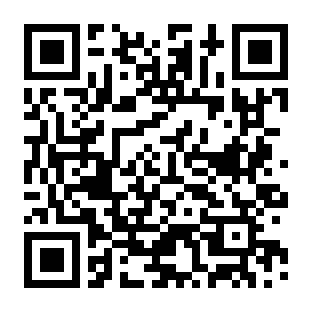
QR code for EB1 on the App Store
App Store
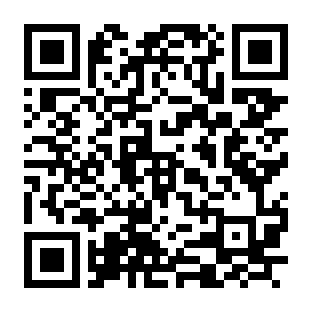
QR code for EB1 on Google Play
Google Play

USDC is issued by Circle. EB1 is not affiliated with Circle.

Open in new tab

Taking a while? Open in new tab